Settings → Permissions in the sidebar is where you see everyone who has access to your organization, share the invite link, and configure what each member can do.
Viewing members
The Members list shows every current member with a role label — Owner, Admin, or Member. It isn't something you assign directly. Owner is fixed to whoever created the organization. Admin is shown for any member who holds at least one administrative permission. Everyone else shows as Member.
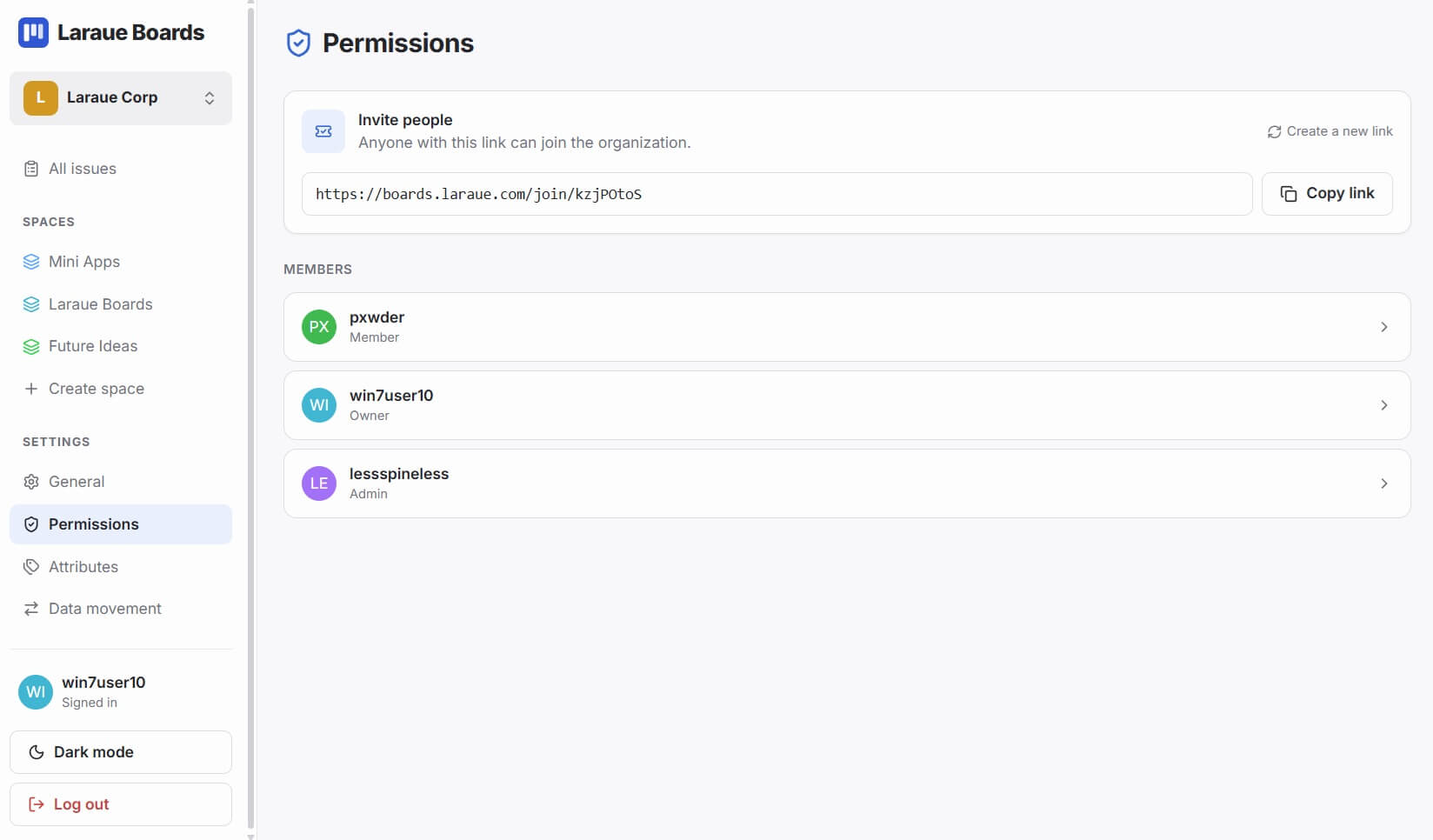
There is exactly one Owner per organization, and they can't be removed. There is no way to transfer ownership yet — if the Owner needs to leave, contact [email protected].
Revoking a member's access entirely isn't possible yet; it's planned for a future version. In the meantime, a member with no permissions at all can't see anything in the organization, so removing all their permissions is the closest available option.
Configuring a member's permissions
Tap a member to open their permissions page. It has three sections.
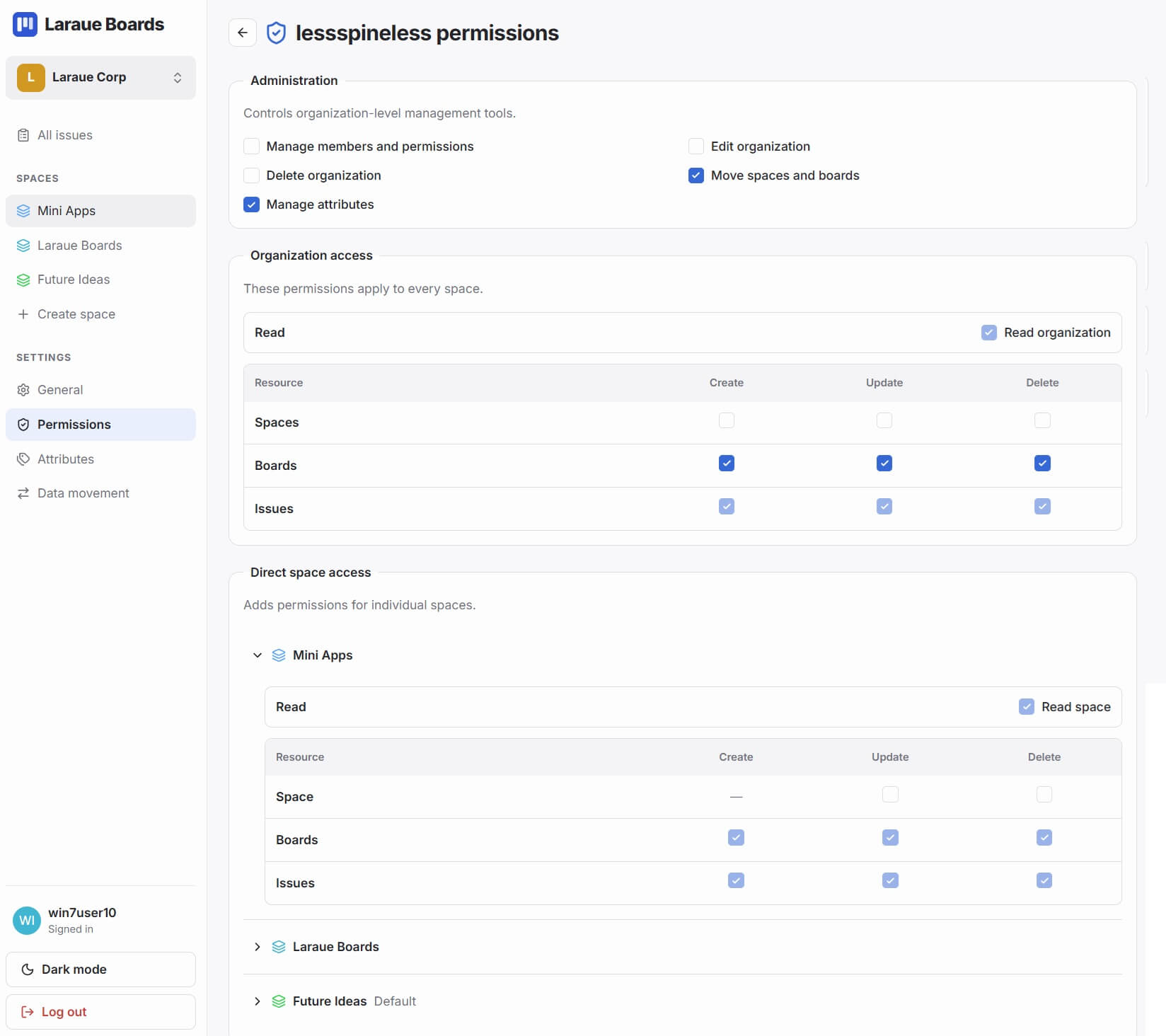
Administration
Checkboxes for organization-level management tools:
- Manage members and permissions
- Edit organization
- Delete organization
- Move spaces and boards
- Manage attributes
- Link chats
Checking any one of these is what makes a member show up with the Admin label in the member list.
Organization access
Applies across every space at once. A Read organization toggle controls whether the member can see everything, and below it a table lets you grant Create / Update / Delete separately for Spaces, Boards, and Issues.
Direct space access
Adds permissions for individual spaces, on top of whatever organization access already grants. Expand a space to set a Read space toggle and the same Create / Update / Delete grid, scoped to just that space.
This is how you give someone access to one client's space without exposing the rest of the organization — grant nothing at the organization level, and configure Direct space access for that one space only.
Practical examples
A contractor who should see only one space:
- No organization-level access
- Direct space access on that one space: Read space, plus Create/Update on Issues if they need to work in it
Someone who can work on issues but never delete anything:
- Organization access: Read organization, plus Create and Update on Issues
- Delete left unchecked everywhere
An admin who manages the team but not the boards themselves:
- Administration: Manage members and permissions
- Organization access: Read organization, so they can still see everything
New members start with nothing
A member who just joined via the invite link has no permissions at all — not even Read. They can't see anything in the organization until you configure their access. This is deliberate: access is opt-in, not something you have to remember to restrict.