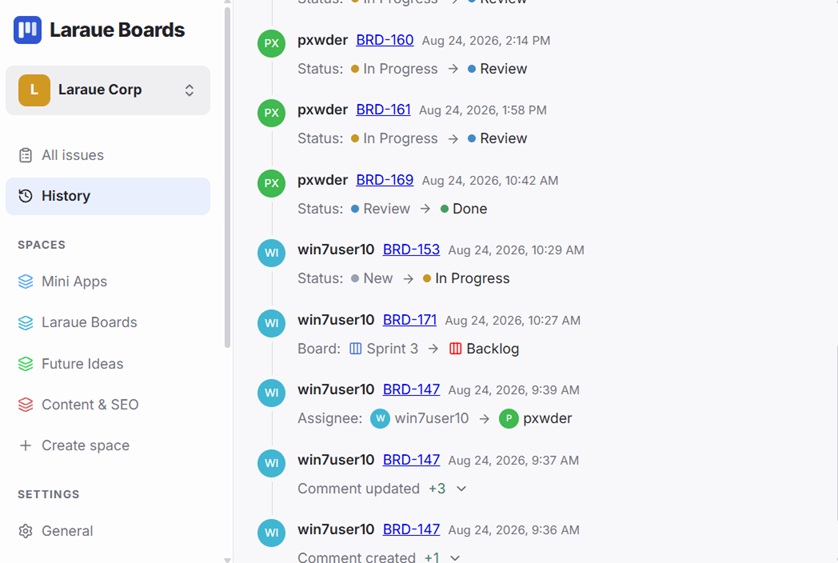
History in the sidebar, right below All issues, shows a single combined activity feed for the entire organization — every change on every issue, across every space and board, in one chronological list.
What shows up here
Each row is one change: who made it, the issue's key linking straight to it, when it happened, and what changed — a status move, a board move, a reassignment, an attribute update, or a comment being created or updated. It's the same event types as an issue's own History tab, just merged from every issue into one feed instead of one at a time.
Comment changes collapse into a single line, like Comment updated +3, with a chevron to expand and see the individual edits.
Filtering the feed
Three filters sit at the top of the page:
- User — narrow the feed to one member, or leave it on All users
- From / To — restrict the feed to a date range
Filters combine — pick a user and a date range together to see just their changes in that window.
Scoped to what you can see
This feed only includes issues you have read access to. If you only have access to a handful of spaces, or just one, you'll only see history for issues in those — the same access rule that governs the All issues page.