An API key is a long-lived credential that lets something other than the web app or the Telegram bot act as you — a script, a CI job, or an AI agent like Claude connecting over MCP. No password, no login flow — just a key in a header.
A key isn't a separate, weaker identity. It can do exactly what you can do by hand, in the one organization it was created for — no more, no less. If you're later removed from that organization or lose a permission there, any key you made for it loses that access too, automatically.
Creating a key
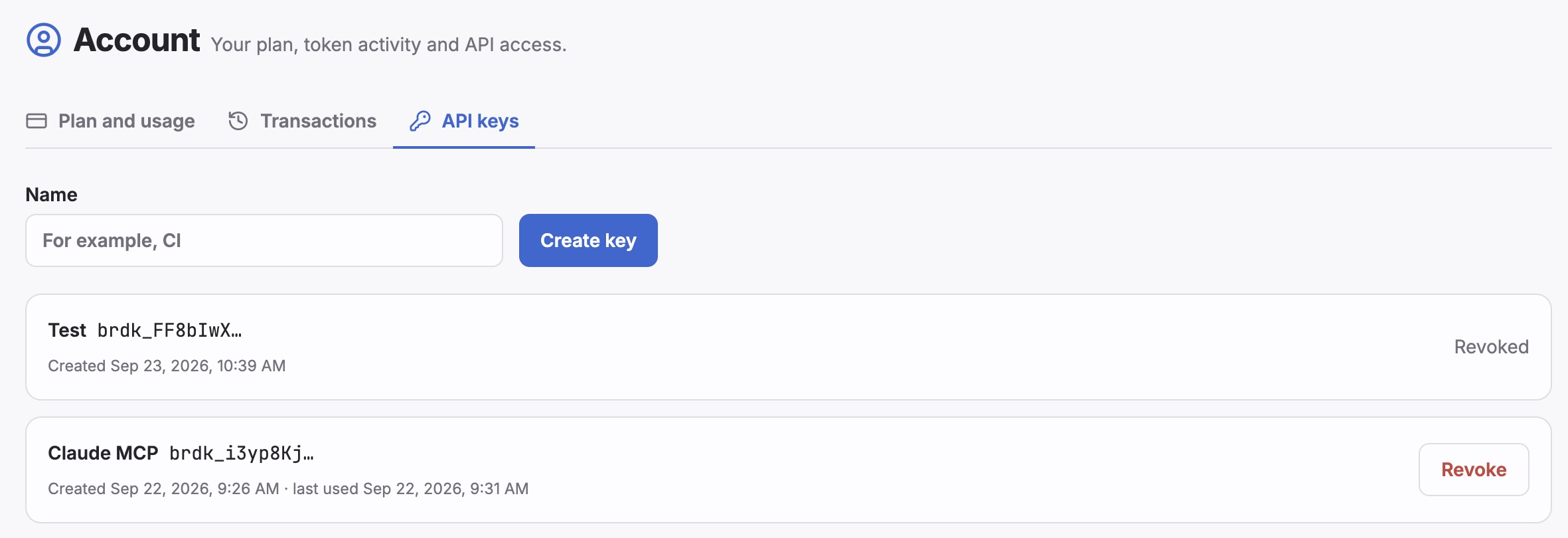
Open Account → API keys. Type a name that reminds you what the key is for — "CI", "Claude MCP" — and click Create key.
The raw key is shown once, right after creation. Copy it now: Boards only ever stores its hash, so there's no way to reveal it again later. If you lose it, revoke it and create a new one.
Managing your keys
The API keys list shows, for each key:
- Name — whatever you typed when creating it
- Key prefix — the first few characters, enough to tell your keys apart without ever showing the full value again
- Created — when the key was made
- Last used — the last time it successfully authenticated a request, or blank if it never has
You only see and manage your own keys — not keys other members of the organization created.
Revoking a key
Click Revoke next to any active key. This takes effect immediately: the next request made with that key is rejected. A revoked key shows Revoked in place of the Revoke button and can't be reactivated — create a new one instead.
One key, one organization
A key is scoped to the organization you were in when you created it. If you work across several organizations — say, your Personal one and a team one — and want a tool to reach both, create a separate key in each.