Attributes are custom fields you can attach to issues — priority, type, or anything else your workflow needs. They're defined at the organization level, so the same attributes are available across every board in the organization.
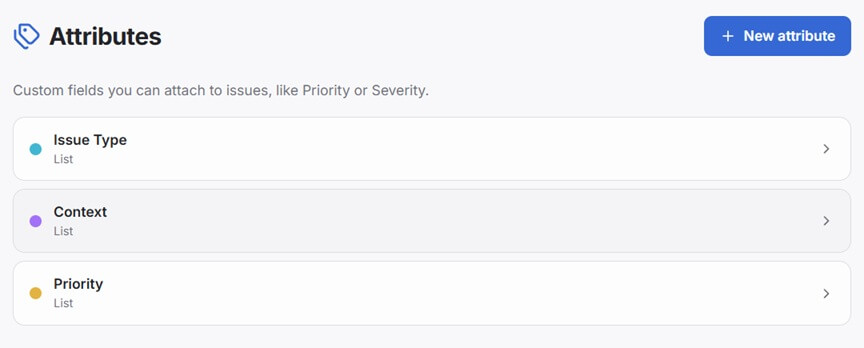
Attribute types
| Type | Use for |
|---|---|
| Text | Free-form text — notes, links, reference numbers |
| List | A fixed set of options — priority levels, issue type, anything from a dropdown |
| Integer | A whole number — story points, a count |
| Decimal | A number with decimal places — a price, an estimate in hours |
| Date | A calendar date — a due date, a deadline |
| Date and time | A calendar date with a time — a scheduled moment, not just a day |
Managing attributes
Open Settings → Attributes in the sidebar. Tap + New attribute, give it a name, pick a color, and choose the type.
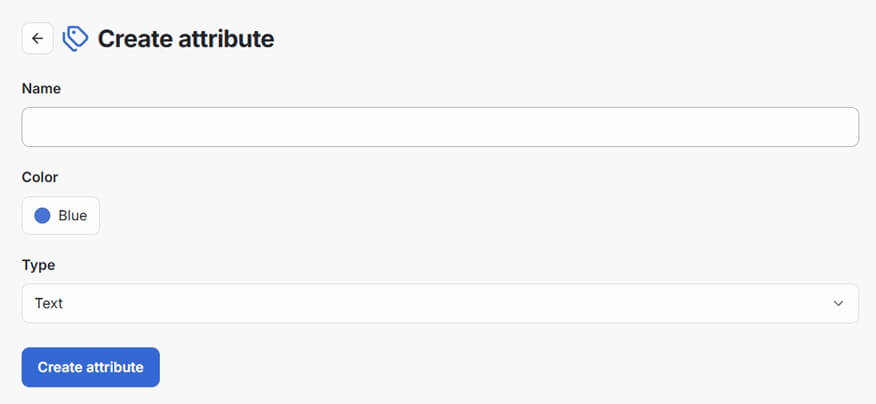
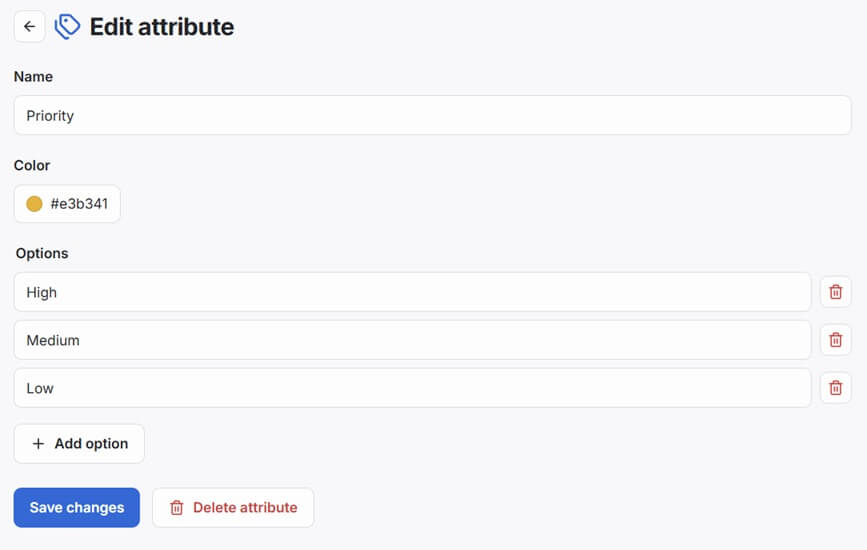
For a List attribute, add its options — tap + Add option for each one, and remove any with the trash icon next to it.
Who can manage attributes
Managing attributes — creating, editing, or deleting them — requires the Manage attributes administrative permission. This isn't granted to anyone by default; a member needs it explicitly, the same as any other permission. Members without it can still see and use attributes on issues.
Filtering by attribute
When a board has List attributes in use, filter chips appear in the filter bar. Tap a chip to filter to only issues with that value. Multiple filters combine — only issues matching all selected values are shown.
Attributes vs statuses
Statuses (columns) represent where in the workflow an issue is. Attributes represent additional facts about the issue that don't change its position in the workflow. An issue can be "In Progress" (status) and "High priority" (attribute) at the same time.
Deleting an attribute
On its edit page, tap Delete attribute. Since attributes are defined at the organization level, this removes it — and its values — from every issue across the organization, not just one board. This cannot be undone.