Every issue gets a unique key — a short identifier like WRK-42 or MOB-7. Keys let you reference specific issues in conversation, or link to them directly.
How keys are generated
The key has two parts: three letters from the space name, and a number that's sequential within that space. WRK-1, WRK-2, MOB-14 — the numbering belongs to the space, not to any individual board inside it.
An epic (board) has no key of its own — it works with an internal id only.
When a key changes
Moving an issue to a different board within the same space doesn't change its key. Moving it to a different space gives it a new key, since numbering is per space — any link or quoted key already shared for that issue will point at the old one and stop working.
Using keys in Telegram
Write the key in any Telegram message — see WRK-42 — and anyone with access immediately knows which issue you mean.
Linking directly to an issue
Every issue also has a direct link:
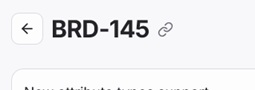
https://boards.laraue.com/organizations/{OrgKey}/issues/{IssueKey}There's a link icon right next to the key on the issue itself — tap it to copy the link without typing it out.
Where keys appear
- On the issue's row in the Backlog and in lists
- In the issue detail, next to the title, with the copy-link icon beside it