A Space is a label that groups related boards together. If you work on multiple products, clients, or areas, spaces keep your navigation clean by letting you focus on one context at a time.
The first time you log in, you already have a space set up for you, with a default board and a Backlog inside it. Create more spaces whenever you want to separate a new project, client, or area from the rest.
The space overview
Open a space from the list in the sidebar to see everything in it: your Backlog, and a grid of all its boards.
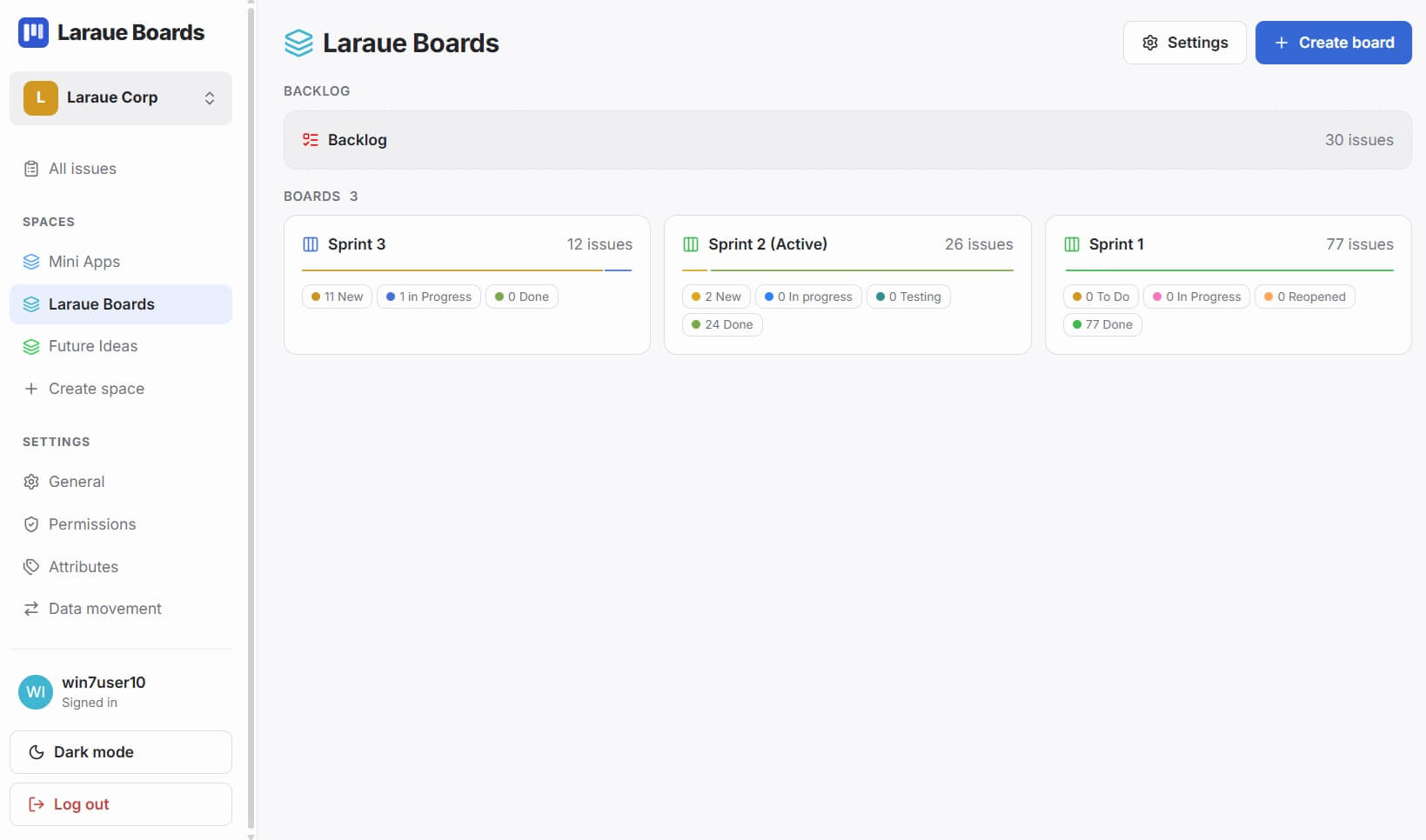
Each board card in the grid shows a segmented progress bar and a breakdown by status, so you can see how a board is doing without opening it. Tap a board card to open it, or tap the Backlog row to see the issues waiting there.
Creating a space
In the sidebar, under Spaces, tap + Create space. Fill in:
- Name — e.g. "Mobile App", "Marketing", "Client: Acme"
-
Key — a short identifier used in issue keys, e.g.
MOB - Color — shown as a colored dot throughout the interface
Switching spaces
Your spaces are listed in the sidebar. Tap a space name to switch to it — the boards, Backlog, and everything else in the main view updates to that space.
Whether you see every space or only some of them depends on your access: with global read access you see all spaces, otherwise only the ones you have been given direct access to.
Assigning boards to a space
A board's space is set when it is created and stays fixed after that — day to day, there is no "move this board to another space" action.
Moving a board between spaces is possible, but only for an admin, from Settings → Data movement.
Moving a board to a different space changes the key of every issue on it, since keys are numbered per space. Any link or quoted key someone already shared for those issues — in a Telegram chat, a doc, anywhere — will point at the old key and no longer resolve. Move a board only when you're prepared for that.
Editing and deleting a space
Open the space, then its settings, to edit its name, key, or color, or to delete it.
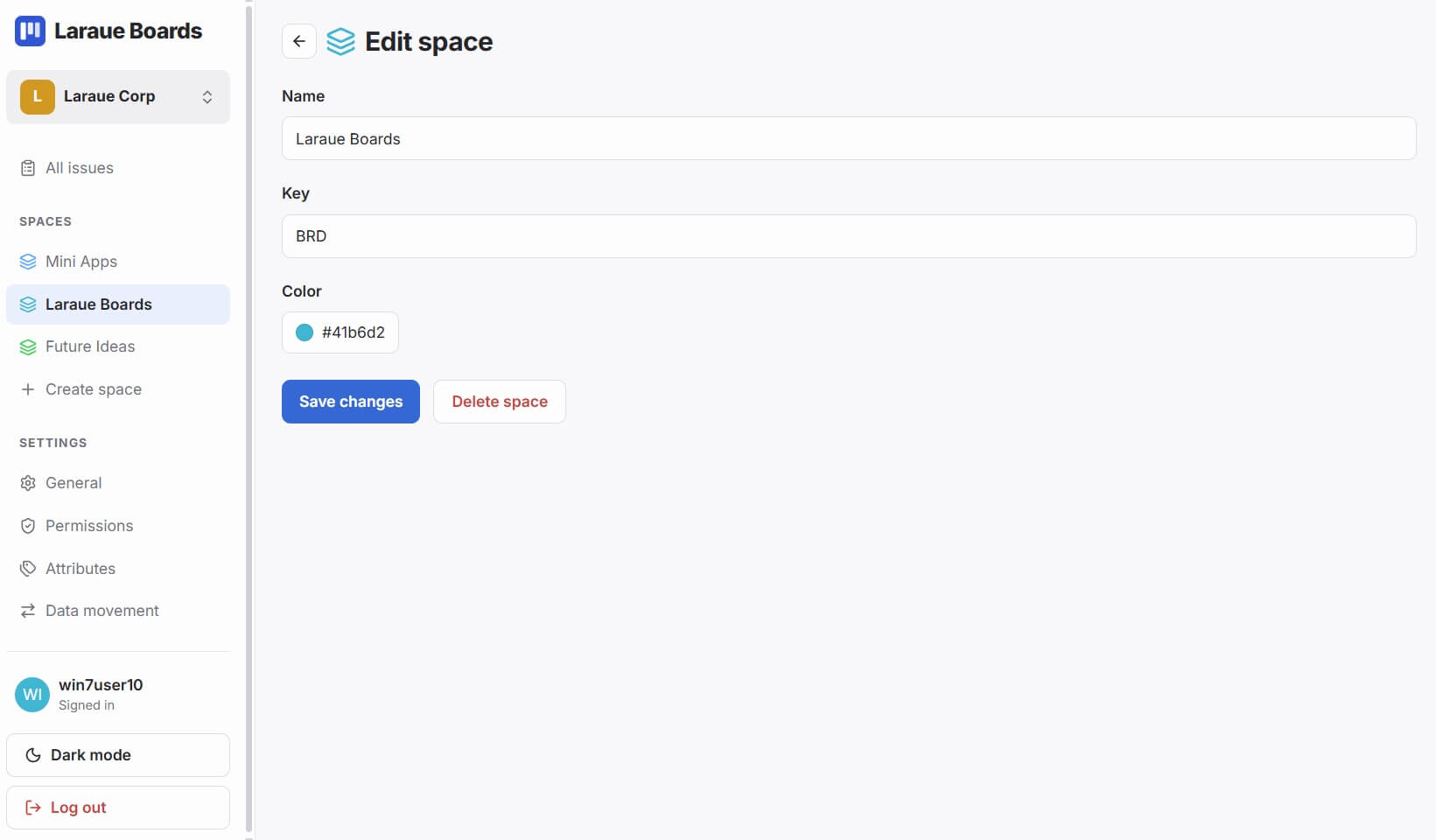
Deleting a space permanently deletes everything in it — every board and every issue. This cannot be undone. We're planning to add a step where you can move the boards to another space before deleting one, instead of losing them. Until then, move anything you want to keep out of the space first.
Spaces and organizations
In a team context, spaces belong to an organization. Access to a space is controlled by permissions — configured at the organization level or separately per space — rather than every member automatically seeing every space. See Permissions management.