Back to blog
documentation

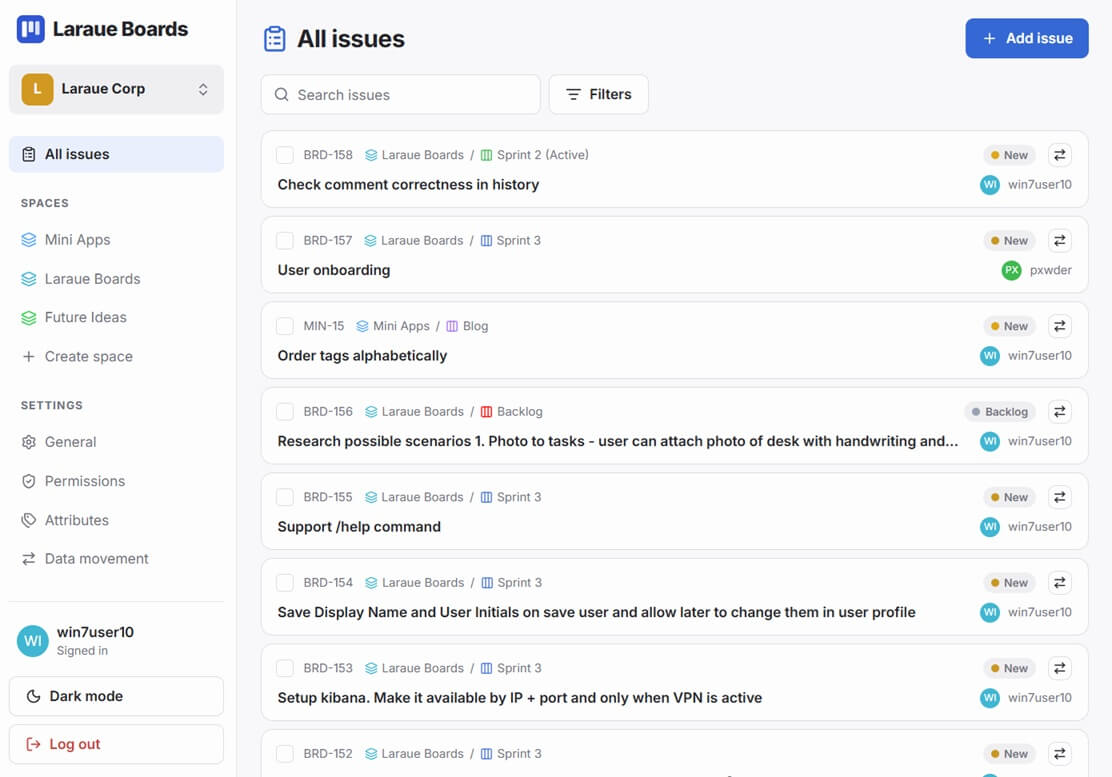
Search β€” find issues across boards and spaces

Laraue Boards has search at multiple levels: within a board, within the Backlog, and across all your boards at once. Each serves a different use case.

Tap the search icon (πŸ”) in the top-right of any board header. The input expands inline. As you type, all columns update in real time to show only matching cards. The board header subtitle shows the count of matching issues.

Board search matches against:

  • Issue text content
  • Sender name
  • Source chat name

Press Escape or tap the icon again to close. The search clears automatically when you navigate to a different board.

The Backlog header has the same search control. Searching the Backlog filters the unassigned issue list in real time by the same fields.

Tap the search icon in the FAB (bottom right corner) or use the search shortcut in the backlog FAB. The global search modal opens.

The global search searches across all your boards and spaces. You can filter by:

  • All β€” issues on any board
  • Boards β€” filter by a specific board
  • Backlog β€” search only unassigned issues

Results appear as you type. Tap any result to open the issue detail. Tap a board name in the result to navigate directly to that board.

When you have many boards, the board navigation tabs have a built-in search. Tap the search icon in the right side of the nav bar (next to the sort icon). Type to filter board tabs by name β€” only matching boards appear in the nav. Useful when you have 10+ boards and want to jump to a specific one without scrolling.

Search and filters together

Board search and attribute filters work together β€” you can search for text while also filtering by priority or team. The board shows only issues that match both the text search and the active filters.

Tips for faster searching

  • Issue keys are searchable β€” type WRK to find all Work board issues, or WRK-42 to jump directly to a specific issue
  • Sender names are searchable β€” type a person's name to see all issues they originated
  • Chat names are searchable β€” type a group name to find all issues from that chat