Architecture First: Building a Jira Alternative in a Tiny Team, AI-Assisted — Part 2.
The first article was about why we are building Laraue Boards and where the code will live. This one is about what we did first. And it was not writing code.
Before choosing the stack, before designing the database schema, and before writing the first line of code, you need to make a prototype of the app. Almost every later decision depends on it: it is hard to design a database structure for a screen you have never seen, and hard to define the user path through an interface that does not exist yet. The prototype turns a vague product idea into a vision you can build on.
How a backend developer can prototype interfaces
At Laraue there are no engineers with commercial frontend experience — we all specialize in the backend. Designing interfaces was, for a long time, the main problem for our team. Figma requires serious immersion in layout before something worthwhile starts to come out. On top of that, the result still had to be turned into HTML.
AI changed this. We can describe a screen in sentences and get a working HTML prototype that can be touched in the browser. It is not an image, but a real interactive interface. For a backend engineer, this is the best starting point one could imagine.
We mentioned what we use AI for, and where we try to avoid it, in the article how we build software. Here — about the real use while creating Laraue Boards.
Vibe-coding the interface
We used a model from Claude and asked it to generate the HTML for a task tracker with the functionality we needed implemented on mock data. Then we try real scenarios — creating a task, moving it between columns, and so on. If some functionality is missing, we ask to add it. If something does not work, we ask to fix it. No rocket science, just vibes.
Mock data matters a lot here. A prototype with three neat placeholders looks great. But the edge cases — long titles, empty states, a large number of elements — the AI often forgets. So at the prototype stage we try to break the layout however we can, asking it to generate enough mock data. Fixing a mistake caught at this stage costs almost nothing — unlike one that will be fixed in the real app.
Even better, decide right away whether the app will be mobile-first or desktop-first and reflect that in the prompts. The final interface layout will depend on it.
The results of prototyping
At the end of the iteration we got this prototype for Laraue Boards:
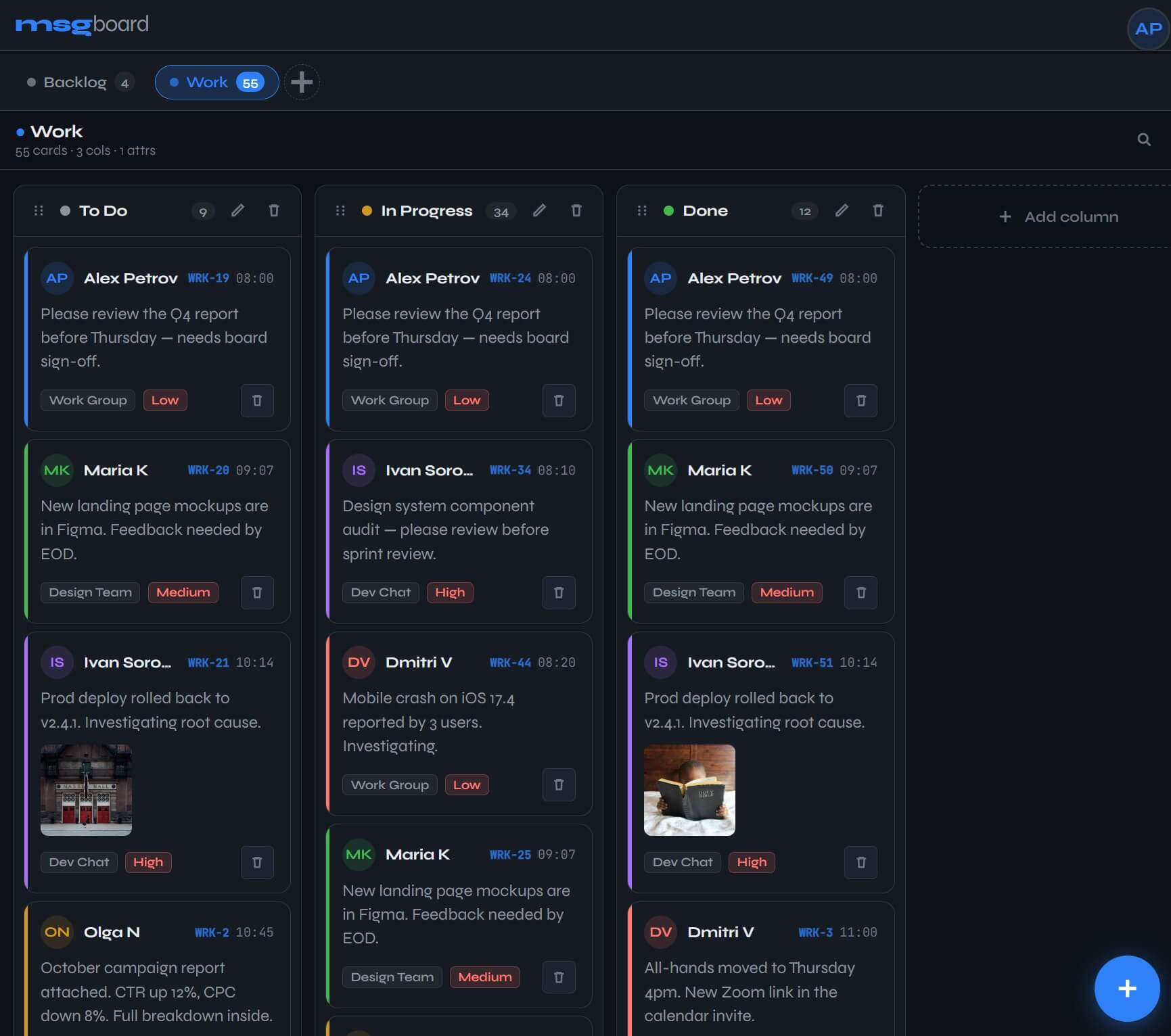
Prototyping is great at engaging the imagination — a quick glance at the generated interface leads to ideas. The AI can add something you did not even think of, and it looks like a good feature. Something planned earlier already seems unnecessary. Something looks fine, but there is an understanding that its implementation would be long and complex — that gets excluded from the first iterations.
That is the value of a prototype: decisions are made cheaply, changes are added in seconds. By the time we started writing the real code, the interface questions were already resolved.
The path from prototype to a real app
The HTML prototype is not the final result. It is great for early demos, but it is not a product. Between a prototype and a real app there is a huge gap. In the coming articles the generated HTML file will be used as a reference for building the backend and the frontend, until it finally becomes a real product available to users.
What comes next
The prototype shows how the product will look. The next question is how the user will interact with it. We will define the simplest user path before moving on to further design.